
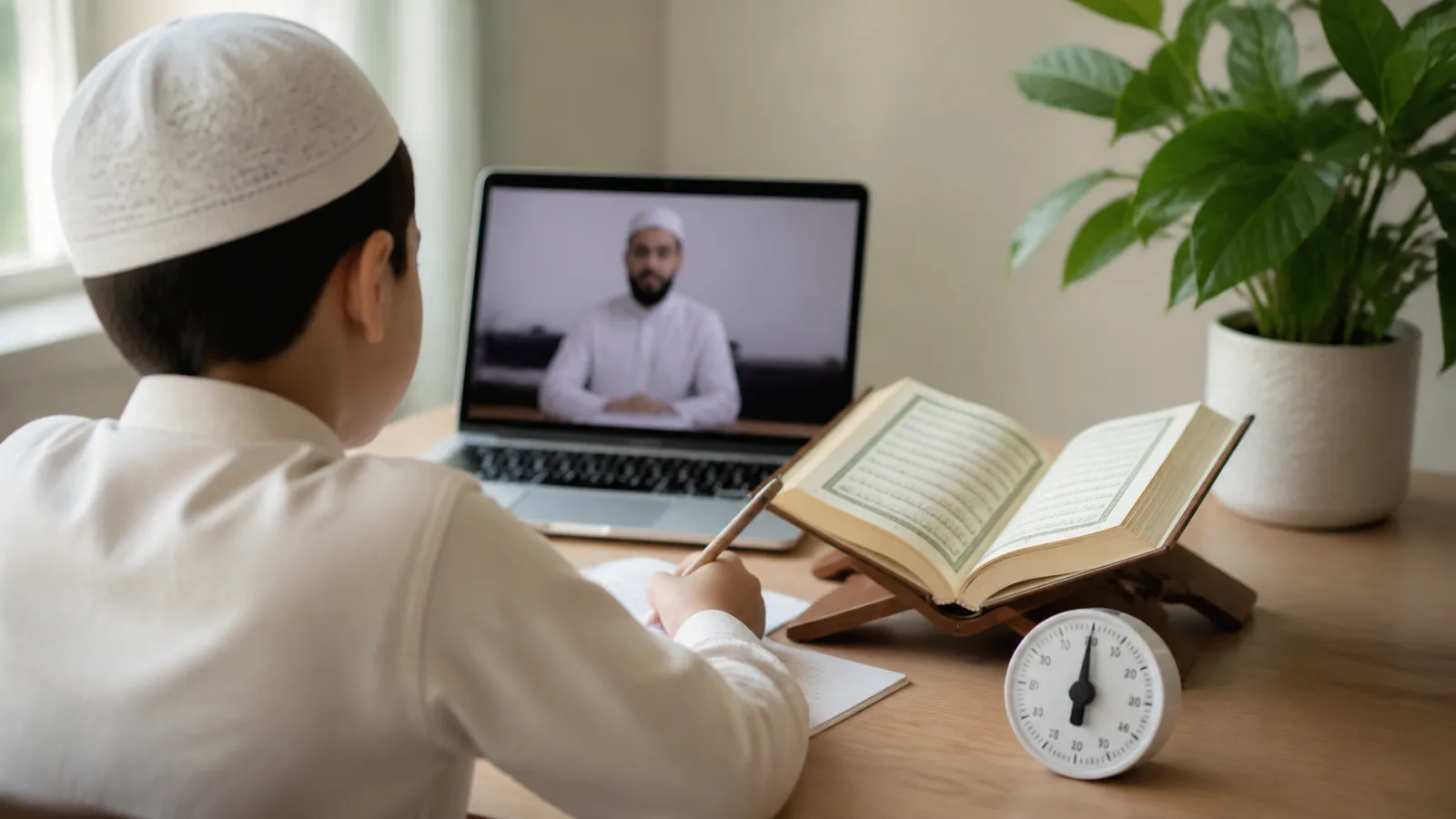
Parents considering online Quran classes often meet an awkward question: if the household is already trying to reduce screen time, does putting Quran study on a laptop make the problem worse?
Not all screen use asks the same thing of a child. Thirty minutes speaking, reading aloud and responding to a live teacher is different from thirty minutes of autoplay video. The device still brings practical risks—distraction, poor posture, tired eyes and easy access to other content—but those risks can be managed without pretending the screen itself determines the value of the activity.
Think in terms of use, not only minutes
A useful screen-time conversation asks what the child is doing, with whom, and what happens afterward. Passive entertainment is designed to continue with little effort. A live lesson requires attention, turn-taking, recall and speech. The child is a participant rather than an audience.
This does not mean educational use is unlimited. A tired child is still tired, and staring at a poorly positioned screen still causes discomfort. It means a family can assess Quran study separately from recreational scrolling while keeping sensible limits around the whole day.
Keep the Mushaf or Qaida physical when possible
The lesson may travel through a screen while the reading happens from a book. Place the child's Noorani Qaida or Mushaf beside the device and ask the teacher which page to use. A physical page removes notifications, builds familiarity with the book, and lets the child mark a place with a simple bookmark.
Screen sharing remains helpful when the teacher needs to point to a sign or annotate a word. It need not be the default for every minute. A blended setup—teacher on screen, text on paper—often gives the clearest lesson.
Set up the device for one purpose
Before class, close games, messages and unrelated browser tabs. Turn off notifications and use full-screen mode for the call. If the operating system offers a child account or focus setting, use it. The goal is not surveillance; it is removing decisions from a moment when attention is already working hard.
Keep the lesson link and materials in one predictable place. A child who spends the first five minutes searching through messages begins already distracted. For younger students, an adult should open the call and remain within reach if technical help is needed.
Choose lesson length for the child
A long online lesson is not automatically more productive. Younger students often learn more from short, frequent sessions, especially after school. If the child's eyes wander and accuracy falls at the same point each time, discuss a shorter class or a break rather than treating endurance as the goal.
Age is only one factor. Reading level, temperament and the rest of the day matter. Our article on the best age for Quran classes provides a broader guide, while our children's Quran classes can be scheduled around the student's stage.
Protect eyes, posture and voice
Place the screen near eye level rather than flat on a lap. The child should sit where feet and back are supported, with the book close enough to read without leaning forward. Use a room with comfortable light and avoid a bright screen in an otherwise dark space.
For longer study, let the eyes look away between exercises. A short movement break before class can help a child arrive ready to sit. Keep water nearby, especially when the lesson contains repeated recitation.
Headphones are useful in a noisy home, but volume should stay comfortable. A basic headset microphone can also help the teacher hear recitation more clearly. Test it before the lesson rather than asking the child to troubleshoot while waiting.
Keep parents present without taking over
With a young child, stay nearby enough to solve a frozen call, redirect attention or support safeguarding. But avoid answering for the child, repeating every teacher instruction, or correcting simultaneously. Two adults giving feedback can make it harder to hear either one.
Agree on a signal with the teacher if help is needed. After class, ask for one practice priority. This gives the parent a useful role without turning the lesson into a performance.
Move homework away from the screen
Most Quran practice does not require a connected device. Review the marked line from the book, use a printed letter sheet, recite a memorised passage while walking, or listen to an audio recording without watching video. Keeping homework offline reduces distraction and helps the child understand that the Quran is not contained inside an app.
When audio is needed, choose the recording before handing over the device and stop autoplay. One reciter and one passage are often better than browsing for the perfect version every day.
Balance the rest of the day
If an online lesson follows remote homework and is followed by gaming, the child experiences one continuous block even though the purposes differ. Put a screen-free transition around the class where possible: a snack, wudu, a short walk, or setting up the Mushaf together. After class, let the eyes and body change task.
You do not need to “compensate” for every lesson minute mathematically. Look at sleep, movement, family conversation, outdoor time and the child's ability to stop recreational media. The Quran class belongs inside that whole pattern.
Safeguarding is part of screen setup
Use an account controlled by a parent, keep scheduling and teacher communication with the adult, and know who to contact about concerns. Lessons should occur in an appropriate space, and younger children should not manage private calls independently.
Ask the provider how teachers are selected, how concerns are reported, and what boundaries apply to messaging. Read our guide to choosing a Quran teacher for a fuller list of questions. Technical convenience should never weaken ordinary child-safety expectations.
Watch the child, not an abstract rule
A healthy setup produces observable signs: the child can follow the page, respond to the teacher, remember the practice task and leave the session without being depleted every time. Warning signs include repeated headaches, constant tab-switching, inability to hear instructions, dread tied specifically to the online format, or a lesson scheduled when the child can no longer attend.
Some problems are easy to fix with a book, headset, different time or shorter lesson. Others indicate that local in-person learning would suit this child better. Our comparison of online and in-person Quran lessons treats both options fairly.
A simple pre-lesson checklist
- The child has had a short break from other screen use.
- The Mushaf or Qaida is open at the right page.
- Notifications and unrelated apps are closed.
- The device is stable, near eye level and comfortably lit.
- Audio works and the volume is moderate.
- A parent is available where age and safeguarding require it.
- The child knows today's one main task.
Use technology, then let it disappear
The best online Quran lesson does not feel like consuming “content.” The screen becomes a window to a teacher: the child reads from a page, the teacher listens, and they work together on the next correction. Thoughtful setup helps the technology recede into the background.
If you want to see whether that balance works in your home, review how our online lessons run and try a free trial class. Judge the experience by the child's attention, comfort and learning—not by the presence of a screen alone.
Learn the Quran with a teacher by your side
Live one-to-one classes for children and adults. Your first class is free.
Book a free trial class